|
The problem stems from how Apple activates iMessage using your telephone number –but really doesn’t offer any way to deactivate your account (while making it seem like turning off iMessage on your device is actually doing much of anything). Of course, the problem goes a little deeper… but the result is that your friends can’t always reach you by text message anymore (and they don’t even know their messages aren’t being received by way of an error). If nothing else, this guide gives a list of the things you should do if and when you decide to move from your iPhone to an Android device. Online Guide Helps You Quit Your iPhone and Switch to Android is a post from: Good e-Reader |
Monday, May 26, 2014
Online Guide Helps You Quit Your iPhone and Switch to Android


The Evolution of the Kobo e-Reader – In Pictures
| Kobo has been making e-readers since 2010 and diversified into tablets in 2011. Their earliest e-ink devices were fairly basic and through dedication to reading their latest models are very solid. Today, we look at the evolution of the Kobo brand and how their e-Readers have changed overtime.
The first Kobo e-Reader became available in Canada and the US on May 1 2010. It featured a 6 inch with a resolution of 600 x 800 pixels. This translates to a display pixel density of 170 (dpi), which is quite impressive at the time. It did not have WIFI or a built in store. Customers were encouraged to load in their own books manually, which hampered its ability to compete against Amazon. The pricing strategy of the original Kobo, at USD$ 149, was to rival the Amazon Kindle, which was USD$ 110 more expensive. However, in June 2010, just after the Kobo was released, Amazon dropped the price of the Kindle to USD$189. Chapters Indigo was an early investor of Kobo, contributing close to $150 million to assist them in developing e-readers and an online bookstore.
The Kobo WIFI edition was released on October 15th 2010. This was only a few months after the original Kobo e-Reader launched and the company had to bow to customer demands to buy eBooks right on the device. It featured a slightly improved processor and support for a 32 GB SD Card. This marked the first time Kobo experimented with different colors, offering a white, black and lilac version with a quilted cover on the back. The e-reader visually was a carbon copy of their first e-reader. It had a rather flimsy D-Pad that was used to navigate settings menus. It also had physical buttons all over the unit. The addition of wireless internet access allowed people to buy books from Kobo directly, which simplified the process. When I reviewed this unit the week it came out I summarized “The one drawback of this device, is that it feels sluggish and unresponsive when you are navigating all of the menus and eBook store. You might click down, and it won't refresh for over 8 seconds. This makes it so you end up double clicking, then your e-reader will jump menu to menu or screen to screen. This is one of the most frustrating aspects of both iterations of the Kobo reader. For us, its a deal breaker.”
Aside from the touchscreen which was the major selling point of the Touch, a number of software improvements were quite evident. Kobo really marketed their new social media platform called Reading life. It allowed you to share book passages via Twitter and Facebook. It also gives you statistics of your reading patterns, how much you read, how often, and how many books you have read. There was also a reward system where you earned badges and achievements for reading. When the Touch first came out my summary of the hardware review stated “Kobo hit a homerun with the Kobo Touch due to the quality build design and the robust functionality! I had the original Kobo e-Reader and the Kobo Wireless. This model seriously puts those two to shame! The touchscreen display should be easier for your average user to wrap their heads around, since almost all hand held mobile devices are touch screen. I found the older Kobo models to have flimsy design and the DPAD was awful, not to mention you would hit a key and 12 seconds later the command would go through. I hardly experienced ANY LAG at all when using this e-reader extensively. The Kobo GLO was released in September of 2012. This was the first e-reader that really really hit the mainstream. It surpassed their prior models in responsiveness and design. The big selling point was the illuminated display screen, which borrowed a page of the Nook Simple Touch with Glowlight and the Kindle Paperwhite. The Kobo Glo eliminated all physical buttons and relied in a capacitive touchscreen with a resolution of 1024 x 758.. This marked the first major advancement in resolution, which really made text and PDF files look amazing. It was hampered a bit by the same processor used on the Kobo Touch, a year prior. Kobo also amped up the processor, which raised it to 1 GHZ, over the 800 MHZ of the Touch model. When this first came out, my review summarized “This e-reader feels like a modern device and has solid hardware. The back of the unit has a different quilted pattern than previous models. Advanced users may dig the fact that there is a ton of control over your reading experience and it allows you to load in your own fonts. The Kobo development team is also fairly active on the MobileRead forums and often directly answers questions and employs many people in testing out beta firmware builds. They also use this fiendishly obsessed e-Reader community to farm ideas on future features they might employ in automatic firmware updates.”
The Kobo Mini was originally launched the exact same day as the Kobo Glo at the first major unveiling Kobo produced in Toronto. In 2012 Kobo really stepped up their promotional and marketing campaign as the intention was to be the #2 ereader and eBook company in the world, next to Amazon. The Mini bucked the trend of the standard six inch e-Reader and instead went with a more pocket friendly five inch model. It used e Ink Vizplex technology and had a resolution of of 800×600 pixels. Underneath the hood was a 800 MHZ processor, which was the exact same as the Kobo Touch employed years prior. The intention behind the Mini was to offer a cheap and cheerful device at $99 and was discounted heavily during its lifecycle to $29.99. When the e-reader first came out I mentioned “It will be interesting to see how the market responds to a strongly marketed five inch ereader. For the last four years all of the major players have released six inch or larger e-readers. Other companies have released smaller models, but never saw any traction because of poor retail distribution channels and brand awareness. The Kobo Mini is one of the best bangs for your buck if you are on a budget and still want a fully featured e-reader. The company does a great job in appealing to international customers, something the other major players don't do very well. Most lock you into specific regional variants of their stores and exclude anyone living outside a specific geographical region.” Kobo Aura HDThe Kobo Aura HD was billed as a limited edition e-reader that was released April 25th 2013. It featured a 6.8 inch screen with a tremendous resolution of 1440×1080 with 265 ppi. The front-lite technology also received an elevated boost and put Kobo on par with Kindle in terms of screen technology. The Aura HD was a runaway success and quickly accounted for 25% of Kobos international hardware sales. Readers loved the fact they had almost an extra inch to read their eBooks, magazines, newspapers or PDF content. One of the best aspects of the Aura HD was the responsive main menu. The new screen has three main segments that displays icons for everything you have done in the last 12 processes. This gives you shortcuts to your most commonly accessed features, such as the web-browser, custom shelves, Reading Life, and ebooks. The Sync feature to fetch new content is now on the main screen, too, which is the only element that remains persistent. I actually like the more effective use of screen real estate. Rather than browsing four different sub-menus to access the internet browser, it will appear on your main screen if you have recently used it. When this first came out, I mentioned during my review “When it comes to high resolution displays, customers often gravitate towards full color tablets instead of e-readers. This has been the growing trend in the last few years, and it's completely amazing to see a brand stay loyal and committed to its e-ink line of devices. Simply put, the Kobo Aura HD has the highest resolution out of any six or seven inch tablet or e-reader in the world. If images and clarity of text matter to you, this is a must purchase.” The AURA HD is still currently the flagship e-reader from Kobo and is currently my favorite dedicated e-reader on the market. It taps into an ecosystem of over 3 million eBooks and is relevant in every major country in the world. Simply put, this was the best, most complete product Kobo produced in their entire company history.
In September 2013 Kobo released a six inch iteration of the Kobo Aura. It featured a 6-inch e-ink ClarityScreen display with 1014×758 resolution, 16 level grey scale and a built-in LED front-light. It has 4 GB of storage, weighs 6.1 ounces, has 2 months of battery life, a Freescale i.MX507 1 GHz processor, and a microSD expansion slot. Kobo employed a new PDF rendering engine in the Aura HD and the Aura. It allowed readers to have better navigation on the document by giving a small preview window to help keep you oriented. When the Kobo Aura was released I stated “The Aura is amazing, one of the best e-readers ever released. One of the best features is the capacitive multi-touch display and the ability to really make reading shine. The screen is flush with the bezel and not sunken like every other e-reader currently on the market. The internet and PDF experience is the best you will get on a six inch device, trouncing Sony.” The Evolution of the Kobo e-Reader – In Pictures is a post from: Good e-Reader |


Use Daily by Buffer to Discover and Share New Social Media Content
|
The concept is simple: every day you are presented with a selection of articles and posts that the app feels you would enjoy. If you like them, swipe right… if you aren’t so keen, swipe left. After you go through all of your picks, review your Buffer queue and share them out across your connected social media accounts. Daily by Buffer currently offers five to sex stories each day and a lot of the content is being reused from the main Buffer app, but in time this offering should improve. So far the app is only available for iOS devices –but with any lucky there will be an Android version available soon. Use Daily by Buffer to Discover and Share New Social Media Content is a post from: Good e-Reader |

Kindle Comparison Table Updated
| This is a quick note to mention that I’ve finally updated the Kindle Comparison Table to reflect the current status of available Kindles (in the US, at least). I should have updated the page a long time ago, but it’s always hard to keep up with updating older pages, so I guess it’s better late […] |
Samsung Files Suite of Patents for Next Generation of Android Wear
|
In the latest round of patent filings, Samsung suggests you could “move your wrist to call up different features, or tap on the screen to interact with remote controls for devices around your house” or that the device may ” display the time when at rest inactive on your wrist, and it would be laden with sensors, including an optical one for monitoring pulse.” Even more amazing is the idea that a smartwatch could “recognize barcodes, images, objects and do optical character recognition (plus translation) for printed text.” Of course, Samsung ups the ridiculous ante when they also suggest the circular face is their invention –but it is hard to blame them when you consider the lawsuits Apple has filed against them for ideas based on shapes. Nonetheless, all of these patent applications mean the wearable Android market is alive, evolving and still very exciting for those of us staying tuned. Samsung Files Suite of Patents for Next Generation of Android Wear is a post from: Good e-Reader |

Onyx Boox i86 Runs Android 4.0 and Has 8-inch 1600 x 1200 E Ink Screen
| Onyx international has some ambitious plans for 2014. They just released the Boox i63ML Newton with a 6-inch E Ink Carta display and Android 2.3. Onyx also demoed the Boox T68 and M96 ebook readers at the Hong Kong Electronics Fair earlier this month—they both run Android 4.0 and have 6.8-inch and 9.7-inch screen respectively. […] |
Important Holiday Reads in Remembrance
|
As more and more individuals have become aware of the need to keep the holiday focused on its original mission, a variety of real-time and virtual observance events have been established. For example, in every local time zone across the US, three pm has been declared a moment of observance. Social media traffic and hashtags have been devoted to remembering soldiers from every war who lost their lives in battle, while many other members of the online community are calling for better treatment and government benefits for those soldiers who were willing to sacrifice but ultimately are our proud veterans. Below is a curated list of great books to help readers spend some time today remembering what others have sacrificed, whether at home or abroad. We can argue the merits, criticisms, or political ramifications of any US conflict some other day, but these books will shed light on what US citizens endured for the cause of freedom. Abandoned in Place – Lynn M. O’Shea (POWs in Viet Nam) American Trophies – Mark Sauter and John Zimmerlee (POWs in Korea) No Easy Day – Mark Owen and Kevin Maurer (SEAL Team Mission) A Higher Call – Adam Makos and Larry Alexander (WWII Air Battle) Sergeant Rex – Mike Dowling and Damien Lewis (Military Working Dogs)
Important Holiday Reads in Remembrance is a post from: Good e-Reader |

BookExpo Kicks Off This Week with the IDPF Conference
|
This year, the IDPF Digital Book conference has grown into a two-day event and will feature an entirely new track from the Book Industry Study Group, “Making Information Pay.” “The IDPF has partnered with BISG to bring its attendees the highly-acclaimed BISG Making Information Pay conference. Co-located for the first time with IDPF, BISG’s Making Information Pay is an annual half-day conference for senior executives in operations, sales, and marketing, providing trendable information and insights about the best practices driving the success of today’s industry leaders.” With a full line-up of industry experts covering everything from marketing, digital standards, library lending, social media promotion, and more, this event is a catch-all for anyone remotely involved in the book industry. Moreover, this event has in the past been associated with product launches, innovation announcements, and the adoption of standards such as EPUB3, and this year is expected to be no different; one tracked session will even examine the emergence of EDUPUB as a standard for educational publishing and e-learning.Good e-Reader is an official media sponsor of the event and will post updates and live tweets throughout the two-day conference.
BookExpo Kicks Off This Week with the IDPF Conference is a post from: Good e-Reader |

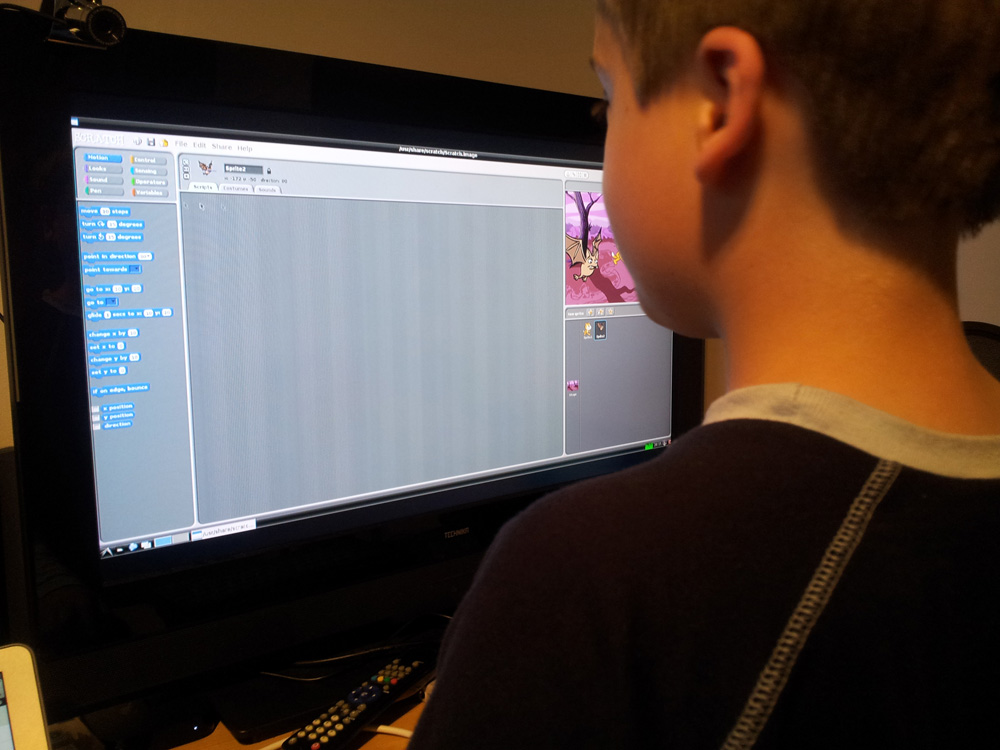
Test Tim’s New Scratch Beta
| Since we wrote about our efforts to port Scratch to modern version of the Squeak VM back in January, Tim Rowledge has been beavering away, fixing the bugs you found and adding in the remaining features. We now have something which we feel is very nearly ready for release, and we’d like your help in shaking out any remaining issues: this will be the version of Scratch that ships with the Raspberry Pi in the next academic year, so it’s critical we find these issues now. We are particularly interested in any internationalisation bugs that may have been introduced, or any incompatibilities with the old version. If you’d like to have a play, you can download the beta here. From the shell, decompress the archive by typing:
and run Scratch by typing:
If you find any bugs please leave a comment under this post – we’ll get right on them. Thank you! |
Sunday, May 25, 2014
Le Monde Digital Newspaper Strategy Flounders
| Le Monde, the largest newspaper in France is resisting modernizing their digital presence and has driven away editor Natalie Nougayrède. She had been working for the paper for over 14 months and her staff basically revolted over her mandate to redesign the newspaper and their line of apps. The deciding factor that contributed to her demise was the transferring of more than 50 staff members from the print newspaper to the digital operation. In order to be elected to an Editor at Le Monde, there is a general vote by the newsroom. All of the journalists cast their ballot on who would do the best job at editor of the entire paper. The prevailing sentiment at Le Monde was that of a true democracy and Natalie’s heavy handed approach lost the support of the average journalist. She was mandating approaches instead of consulting with her editorial staff. Needless to say the editors did not like being told what to do and eight of them wrote a letter to the owners saying that they would all resign. Newspaper journalists in France see themselves having more prestidge over their stories being included in the print edition. Moving seasoned veterans into the digital arena was seen as a downgrade. They do not want to be put on the same level as blogger, when they break exclusive worldwide stories. Le Monde was one of the early adopters of Digital, but their overall strategy and apps are hopelessly out of date. The New York Times is a solid innovator with numerous free apps that give you quality journalistic content from the papers, curated for specific audiences. There are over 8 apps from the Times listed on Google Play, including short form, long form and exclusive videos. All of these niche products widens their reach and can turn a casual audience into paid subscribers. Natalie Nougayrède left the paper because most of the staff did not want to write for the digital platform. "It is a crisis linked to the growth of digital in a traditional company of the written press," said Alain Frachon, a former senior editor of Le Monde. "And on top of that, there is strong discontent." Le Monde Digital Newspaper Strategy Flounders is a post from: Good e-Reader |

Simpsons Tapped Out Review
| Electronic Arts released the Simpsons Tapped Out game a few years ago. This game has spawned a number of city building clones, such as Family Guy – Quest for Stuff. The premise of the game is Homer inadvertently destroying Springfield in a nuclear disaster. Your job is to rebuild the city in any image you see fit. Simpsons is the longest running cartoon in history and has a copious amount of characters, storylines and witty humor to draw upon. Characters you get from leveling up will allow you to do quests to earn money and experience. You may use the cash to buy buildings and season specific vanity items. The virtual currency Simpsons Tapped Out uses is called Donuts. You earn donuts by leveling up or completing big story arc quests. If spending money is more your style there are tiers of them you can buy to get one of a kind buildings or characters. One of the reasons why this game is so compelling is the amount of time you need to invest. Whenever there is a major holiday, like Easter, Thanksgiving, Valentine’s Day or a major event on the television show you have quests and speciality buildings you can unlock. If you miss an event, there is no way you can buy this building again, ever. This promotes playing often to be able to get every single building or speciality character in the game. In the end, Tapped Out will appeal to people who love the Simpsons as source material. You don’t need to pay to win either, you can get 90% of all buildings, characters or vanity items by just grinding it out.
Simpsons Tapped Out Review is a post from: Good e-Reader |

Family Guy – Quest for Stuff Review
| Family Guy – Quest for Stuff is the latest city building game based on Simpsons Tapped Out. The gameplay consists of rebuilding Quahog in any way you deem fit. You’ll be laying down roads, rebuilding houses and businesses from the show, and sending your favorite characters off to do various tasks in an attempt to earn currency to build up Quahog bigger and better than it was before. If you don’t want to wait for Peter to play Pirate, you can use real-world cash to buy premium currency or "clams" to make everyone almost instantaneously finish what they’re doing. There is a strong social component to the game that allows you to connect up to Facebook and invite your friends to be apart of your virtual community. You can then check out their city designs and earn cash by clicking on their buildings. Check out the full game review by watching the video below.
Family Guy – Quest for Stuff Review is a post from: Good e-Reader |

Unlock Your Phone Just By Picking It Up Using NFC
|
The way it works is simple: keep an NFC tag close by (the tutorial recommends embedding it into a ring or secured to a fingernail under your nail polish) and your device will be able to sense that you are trusted and you are near. Previously reserved for security-conscious features like processing mobile payments, NFC could also be used for convenience features. Before you get too excited, the bad news is that making this happen today isn’t for the average person. It requires you to jailbreak your NFC-supported device (so the technology required is enabled when the phone is powered-on and not just after it is unlocked) and you need to get your hands on an NFC tag –but the point is to consider the potential… perhaps it is the means for your other wearables (like a smart-watch) to communicate with your phone or perhaps it means your morning alarms will all be set the moment you set your phone down on the nightstand. Unlock Your Phone Just By Picking It Up Using NFC is a post from: Good e-Reader |

Google Now Allows Reminders Set Entirely By Voice
|
Eliminating the need to ‘click to confirm’ means your Android device just became that much more hands free –just finish by saying “yes” or “set” and you are good to go! The best part is that the change appears to be entirely on Google’s side, which means you won’t even need an update to take advantage of this new feature! This change combined with the recent feature-add allowing us to set a timer from our Android devices is proving Google Now to be an indispensable companion. Google Now Allows Reminders Set Entirely By Voice is a post from: Good e-Reader |

Comparison Review: Kindle Fire HDX vs Samsung Galaxy Tab 4 (Video)
| Recently I posted a review of the new 7-inch Samsung Galaxy Tab 4, and while I was at it I wanted to post a comparison review between it and the 7-inch Kindle Fire HDX to detail some of the differences between them. Both are among the top brands for Android tablets, and both are very […] |
Tweaked Modded ROM for Nook Touch and Nook Touch GlowLight
| Awhile ago I noticed over at XDA a new Tweaked Modded ROM for the Nook Touch and Nook Touch with GlowLight. I haven’t tried installing it yet, and was wondering what the usability differences are between it and the regular Nooter rooting package. The Tweaked Modded ROM is based off the Nook’s official 1.2.1 firmware, […] |
eBook Review: Basil Instinct by Shelley Costa
|
As far as the genre known as “cozy mysteries” goes–dead guy, yes, psychopathic serial killer, no–there are a host of authors out there crafting really fun story lines and developing settings and characters that speak to a broad audience of whodunnit fans. These books typically run in a series so that fans can get a real feel for the backstory involved in the plot, and because fans of these titles enjoy finding out new aspects to their beloved characters’ lives. Shelley Costa, author of the brilliant You Cannoli Die Once (Pocket Books, 2013) has done it again with the next book in the Miracolo series, Basil Instinct. This title once again follows Eve Angelotta, head chef of her family’s four-generation Italian restaurant, along with her cousin sidekicks, as they have to sort out a mystery while whipping up a to-die-for eggplant parmesan. In Cannoli, Eve’s grandmother, Maria Pia, was accused of murdering her octogenarian boyfriend with the kitchen mortar and it was up to them to clear her good name. Now, Maria Pia has been invited to join a secret society of great female culinary experts, one that has a seedy reputation for its almost Mafia-like intensity where cooking is concerned. Murder and antics ensue for Eve, Landon, and the rest of the familiar cast of characters, but what really will grab readers’ attention is Costa’s undeniable comedic style. These may not be people you know, but you will certainly wish your circle of friends was this colorful and amusing. Family dynamics, relationships, love interests, and murder combine artfully in this cooking-themed series, and…never mind, I’ll spare you the recipe analogy. Basil Instinct will be available on May 27th.
eBook Review: Basil Instinct by Shelley Costa is a post from: Good e-Reader |

Saturday, May 24, 2014
Android Security Hole Could Be Capturing and Sharing Your Photos
|
Through a series of development exercises, Sidor was able to confirm that photographs can be taken on your Android device (and subsequently sent off somewhere) without any visible preview on the screen –even when the app isn’t technically running or the screen is completely off. Scary? Absolutely. Should you panic? Not at all. Sidor recommends the following tips for protecting yourself against malicious apps:
For as long as technology has existed, malware and hackers have existed trying to exploit it. Your best defense is to remain aware, be cautious and employ good old-fashioned common sense. Android Security Hole Could Be Capturing and Sharing Your Photos is a post from: Good e-Reader |

Amazon, Hachette Battle Continues as Pre-Order Buttons Are Removed
|
The last time the government was asked to step in on a bookselling issue involving the publishers and Amazon, it didn’t go well for the publishing industry. Interestingly, the inability to purchase titles has nothing to do with the ebooks at this time, as Amazon is as cunning as they are gutsy. The last thing the online retailer wants is for its customers to have a reason to test out the iBookstore instead of that free iPad app they currently use. This isn’t the first time Amazon has taken this kind of boycott-action against a publisher for not agreeing to its terms, but it’s also not the first time any book retailer–online or otherwise–has refused to stock, discount, sell, or promote a specific publisher’s works. It’s actually quite a common occurrence in the four hundred-year-old industry. But neither side is talking about the specific terms of the contracts that are apparently so tumultuous and so immovable as to cause Amazon to retaliate. What is interesting is the perspective from the usual Amazon haters (you know, the people who don’t mind getting rich off the sales that Amazon makes happen?), with cries of the “pain and stress” that Amazon has caused the publishing industry as a whole, and the loss of author livelihoods now that the evil empire is withholding book sales. It’s interesting that some are calling for legal action and government intervention in this issue, but do we really anticipate a commercial society where book retailers are required to sell every title that comes along, and at whatever terms the publishers mandate? When the government intervened over the very issue of book pricing, the fallout was far reaching and remains unfinished. Hundreds of millions of dollars were lost by publishers, and the anticipated amount expected to be owed by one tech giant is nearly one billion dollars. While no one suggests Hachette cave to whatever terms Amazon is demanding while holding its titles ransom, the industry would be wise to remember that not dealing with Amazon is what publishers have been after for some time. But if Amazon isn’t careful, this could be the final straw that spurs publishers into finding a new way to sell books.
Amazon, Hachette Battle Continues as Pre-Order Buttons Are Removed is a post from: Good e-Reader |

Podcast: Week in Review – Amazon Drama, New Pocketbook e-Readers
| Welcome to a short week in review edition of the Good e-Reader Radio Show! Today Michael talks about Amazon pulling pre-orders from all future Hachette titles and how executives from the publisher are in Seattle right now for emergency meetings. Also, Pocketbook has announced two new e-readers that will be out soon. If you want to get a sense of the top 10 new e-readers of 2014, check out our preview HERE. A 13 minute show to kick off your long weekend and a small preview of IDPF and BEA 2014. Podcast: Week in Review – Amazon Drama, New Pocketbook e-Readers is a post from: Good e-Reader |
